
API reference
up.log
module
Features to log Unpoly's activity to the browser console.
By default only errors are logged. Call up.log.enable() to turn on debug logging and up.log.disable() to turn it off again. up.log.config adjusts the output, like the banner and CSS formatting.
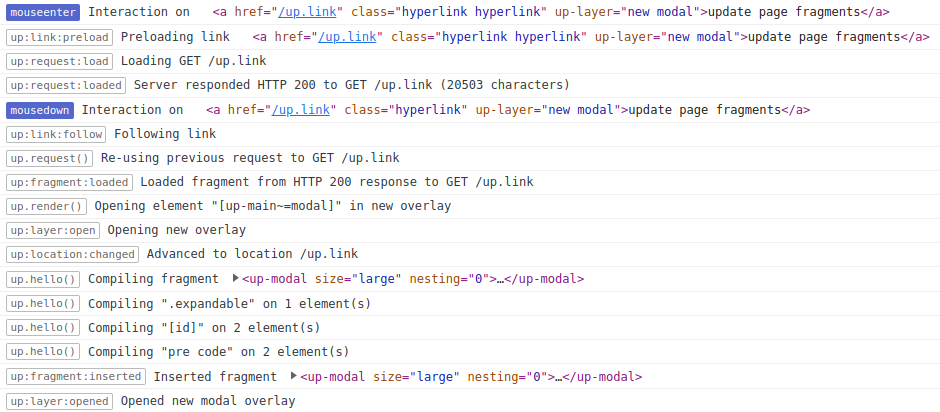
The log of a user hovering over a link and then clicking it. The link opens a modal overlay.
Each line starts with a badge that names the event or function that logged it, followed by a message.
Hovering (mouseenter) preloads the link: up:link:preload, up:request:load, up:request:loaded.
Clicking (mousedown) follows the link and re-uses the preloaded request.
The next lines show the fragment being loaded, a new overlay opening, the location changing,
compilers running on the new fragment and, last, up:layer:opened.
Features
-
up.log.config CONFIG
Configures the logging output to the developer console.
-
Stops printing debugging information to the developer console.
-
Starts printing debugging information to the developer console.